Star sizes
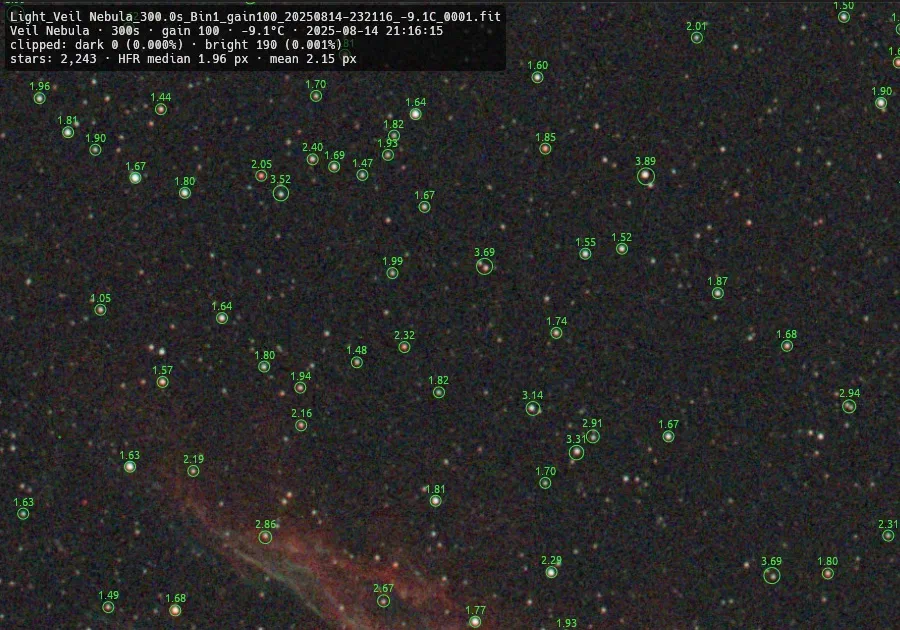
Press S to label every star with its half-flux radius. The info overlay shows the median HFR, so focus drift and thin clouds stand out.
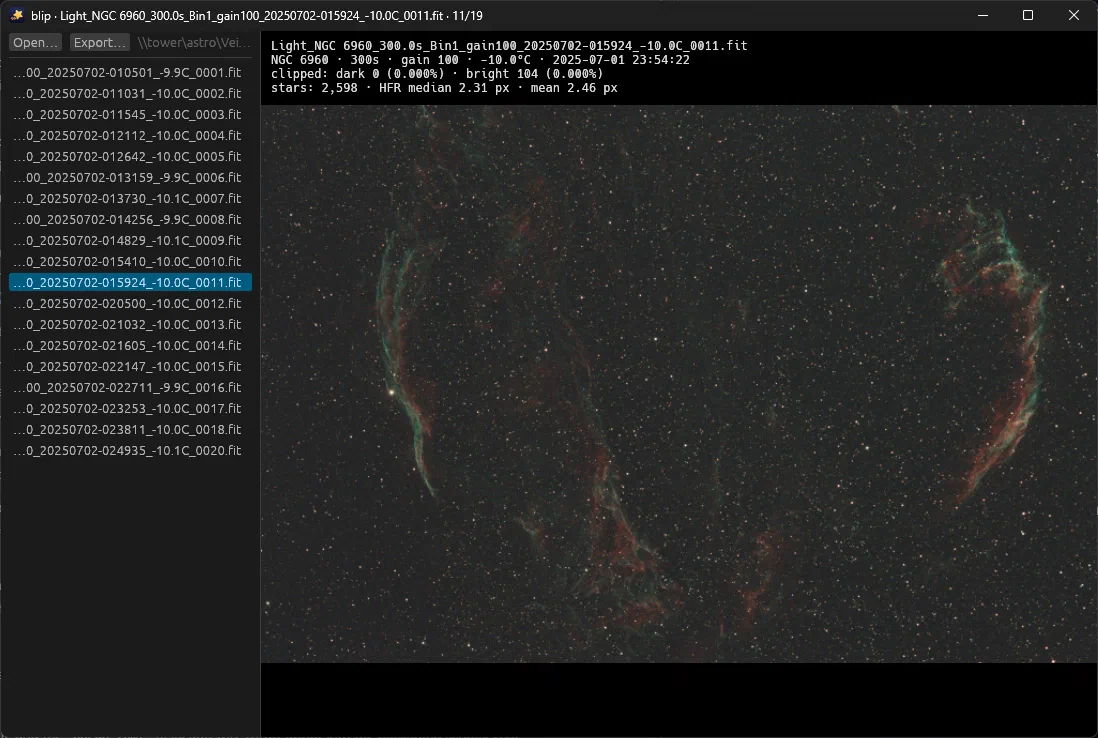
blip, short for Batch Lightframe Inspection & Preview, is a fast FITS preview tool for astrophotography. Open a folder of light frames, step through them with the arrow keys, and delete the ones ruined by clouds, satellites or bad focus.
Press S to label every star with its half-flux radius. The info overlay shows the median HFR, so focus drift and thin clouds stand out.
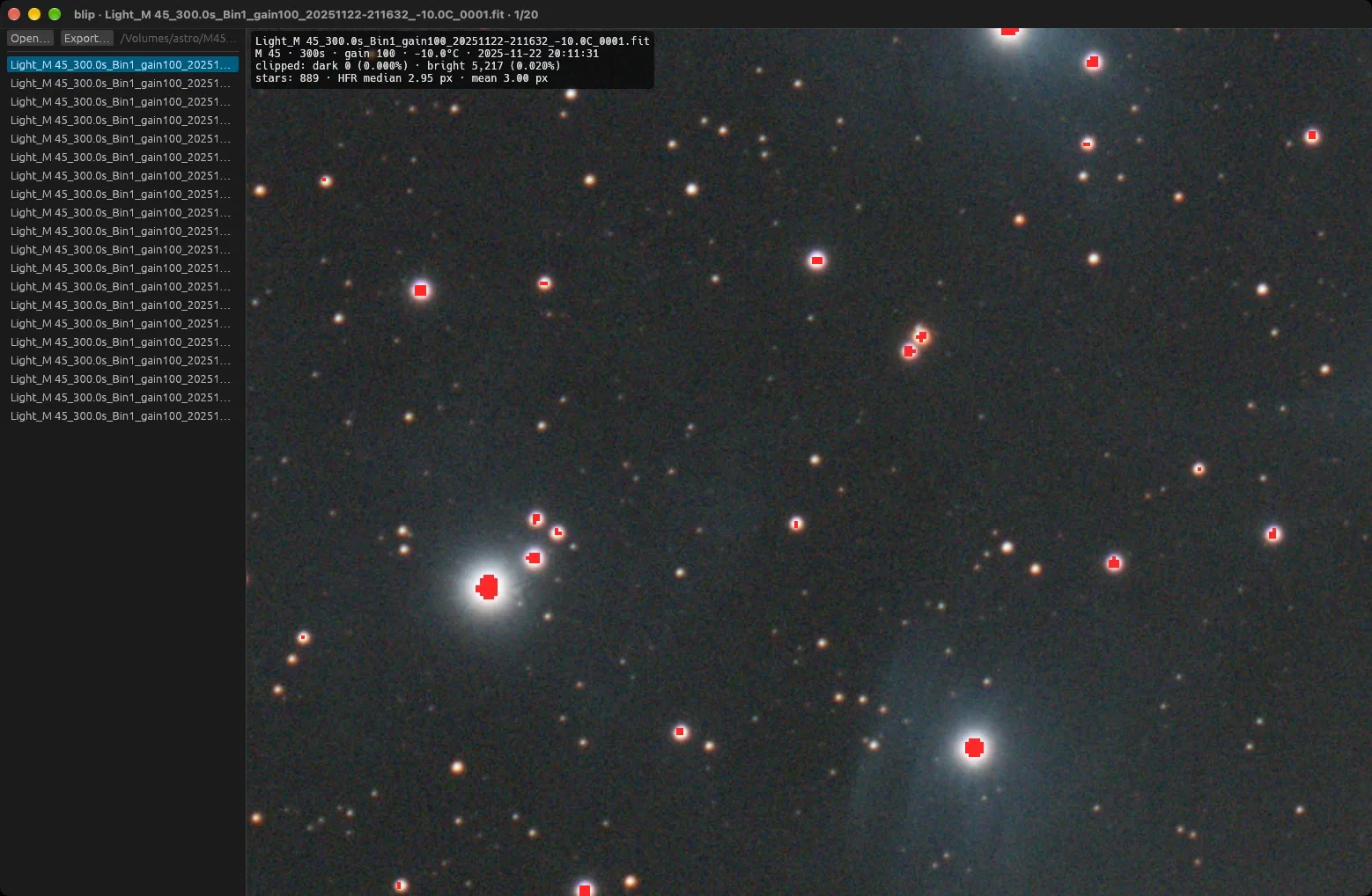
Press C and clipped pixels flash on top of the image. Red is saturated, blue is black.
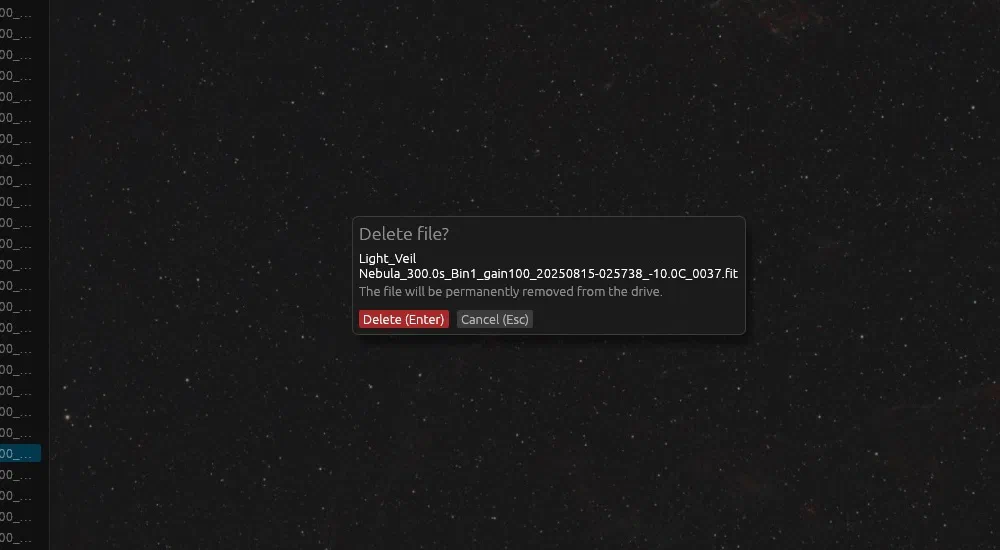
Delete removes the current frame from disk after one confirmation. It skips the recycle bin.
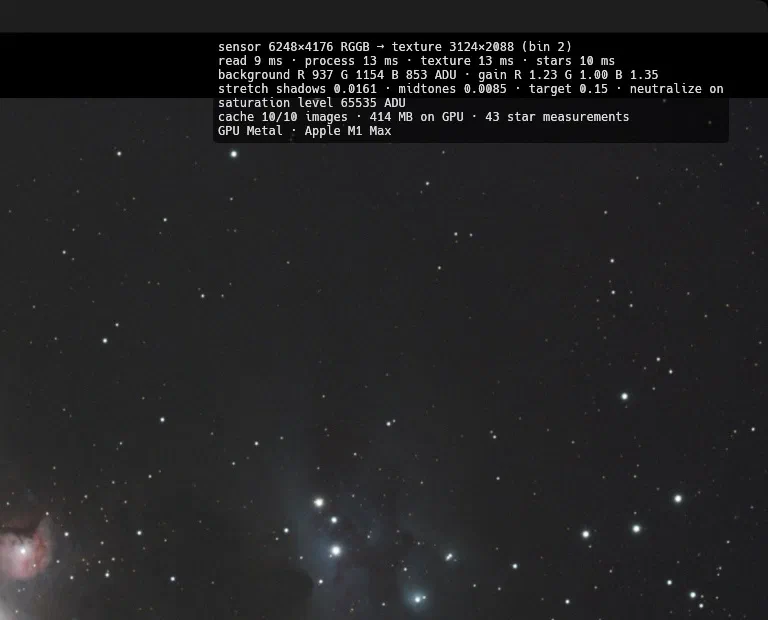
blip renders every frame on the GPU and keeps recent ones in video memory. D shows the timings.
On macOS, use Cmd instead of Ctrl.
| ↓, →, Space or J | Next image |
| ↑, ← or K | Previous image |
| PgDn / PgUp | Jump 10 images forward / back |
| Home / End | Jump to the first / last image |
| Delete or Backspace | Delete the file permanently, skipping the recycle bin (asks first) |
| Mouse wheel / drag / double-click | Zoom, pan, reset. Zoom stays when you switch images. |
| F or 0 | Reset zoom |
| I | Info overlay with capture details, star size and clipping |
| S | Show measured star sizes (HFR) |
| C | Flash clipped pixels. Red is saturated, blue is black. |
| N | Background neutralization |
| B | Binned preview or full resolution |
| D | Debug panel with timings, stretch values, cache and GPU |
| T | File list shows the end of long names instead of the start |
| O or Ctrl+O | Open a folder. Dropping a folder or FITS file works too. |
| F5 or Ctrl+R | Rescan the folder |
| E or Ctrl+S | Export the stretched image as PNG or JPEG |
| ? or F1 | Show all shortcuts |